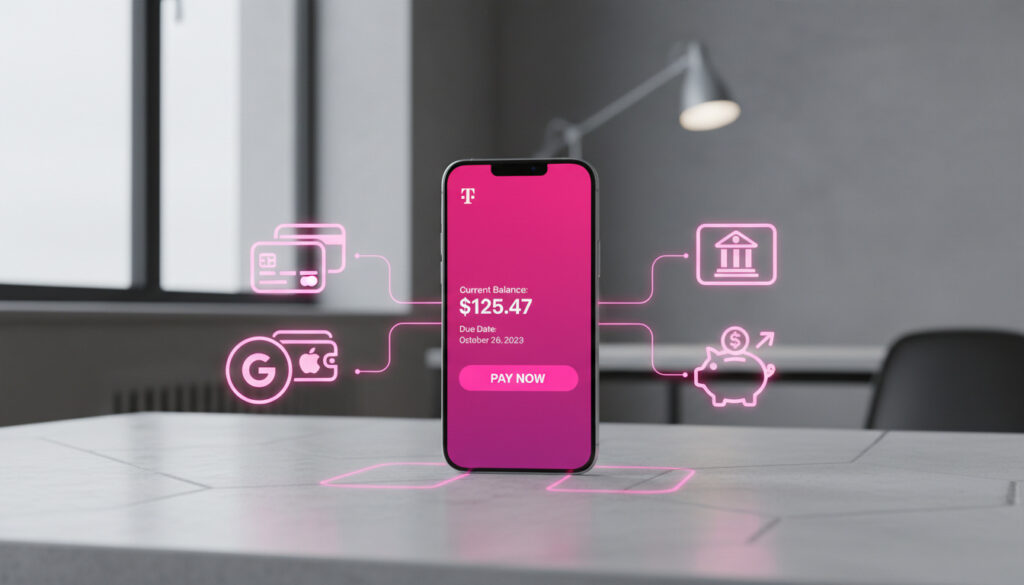
T-Mobile Pay Bill – Complete Guide to All Methods
T-Mobile provides multiple channels for customers to settle monthly charges, ranging from digital platforms to traditional mail-in options. Understanding these pathways helps subscribers avoid late penalties and maintain uninterrupted wireless service. The carrier processes payments through its T-Life mobile application, official website, retail locations, and automated phone systems, each carrying distinct processing speeds and potential fees.
Payment flexibility varies depending on account type, with postpaid plans offering AutoPay discounts while prepaid accounts require separate refill procedures. Customers managing multiple lines or business accounts may encounter different requirements than individual subscribers. Navigating these options efficiently requires attention to fee structures, accepted payment instruments, and eligibility criteria for automatic billing incentives.
This guide examines the verified methods for submitting T-Mobile payments, including step-by-step protocols for digital transactions, telephone payments, and in-person settlements. All information derives from official T-Mobile documentation and support resources as of the current reporting period.
How Do I Pay My T-Mobile Bill Online or Via App?
24/7 mobile access for account management and instant payments
Guest checkout or authenticated portal for up to 20 lines
Automatic deduction from linked bank accounts or eligible cards
Third-party banking integration using account number
Digital payment methods offer the most cost-effective route for T-Mobile subscribers. The T-Life application, formerly known as My T-Mobile, enables users to submit payments through the Manage tab using credit cards, debit cards, or bank accounts via the Pay by Bank feature. Online payments process instantly without service charges, regardless of whether users access their full account dashboard or utilize the guest payment option for limited line access.
- Online and app-based payments incur zero processing fees and post immediately to accounts
- Guest checkout allows payment for specific lines without full account login credentials
- T-Mobile MONEY debit cards function as accepted payment instruments for bill settlement
- Bank account linking utilizes multi-factor authentication without requiring manual routing number entry
- AutoPay enrollment mandates that the previous billing cycle’s charges were paid on time to qualify for discounts
- Credit card payments are accepted online, though only specific cards qualify for AutoPay incentives
- Device installment payments and plan charges are manageable through identical digital interfaces
| Payment Method | Processing Fee | Availability |
|---|---|---|
| T-Life App | $0 | 24/7 Instant |
| Website (Logged In) | $0 | 24/7 Instant |
| Website (Guest) | $0 | 24/7 Instant (up to 20 lines) |
| AutoPay (Bank/Debit) | $0 | Automatic (2 days before due date) |
| Phone (Customer Care) | $10 | Business hours |
| Phone (T-Life App) | $0 | 24/7 |
| In-Store | $5 + tax | Store hours |
| Postage only | 5-7 business days | |
| Bank Bill Pay | Varies by bank | 1-5 business days |
What Is the T-Mobile Bill Payment Phone Number and Other Options?
Alternative payment channels accommodate customers without reliable internet access or those preferring traditional settlement methods. Each alternative carries specific cost implications and processing timeframes that differ significantly from digital options.
Telephone Payments
Customers may contact T-Mobile Customer Care by dialing 611 from T-Mobile devices or calling 1-800-937-8997 from other phones. This method incurs a $10 support fee per transaction unless the payment is initiated through the T-Life application, which allows phone-based processing without the additional charge. Official T-Mobile payment documentation confirms that phone payments post immediately but recommends digital methods for fee avoidance.
Retail Location Payments
T-Mobile stores accept cash, personal checks, and credit or debit cards for bill settlement. A mandatory $5 support fee plus applicable taxes applies to all in-store bill payments. Store personnel may guide customers through the T-Life app payment process to circumvent this fee, effectively converting an in-store visit into a digital transaction while providing hands-on assistance.
Mail-In Procedures
Traditional mail payments require checks or money orders sent to P.O. Box 742596, Cincinnati, OH 45274-2596. Customers must include their account number on the payment instrument. This method requires 5-7 business days for processing and carries the risk of postal delays affecting due dates.
Customers can eliminate the $5 in-store support charge by allowing retail staff to guide them through the T-Life app payment process rather than processing the transaction at the register.
How Do I Set Up Autopay for My T-Mobile Bill?
Automatic payment enrollment streamlines account management and provides financial incentives for qualifying subscribers. However, strict eligibility criteria govern participation and discount acquisition.
Enrollment Protocols
Subscribers initiate AutoPay through the T-Life application by navigating to Menu > Billing & Payments > AutoPay, or through the Manage tab in newer app versions. Online enrollment requires account authentication, after which users link either a bank account (via Pay by Bank authentication) or an eligible debit card. T-Mobile’s AutoPay support resources indicate that the system defaults to drafting payments approximately two days before the bill due date, though subscribers may select alternative dates excluding the 29th, 30th, and 31st of any month.
Eligibility Limitations
AutoPay is restricted to postpaid plans; No Credit Check plans and prepaid accounts are ineligible. Prepaid customers must utilize the separate Refill page for account funding. Enrollment requires that the previous billing cycle’s charges were paid punctually. Foreign-address credit cards are explicitly excluded from the program. Business accounts managing 21 or more lines must use the Account Hub interface rather than standard consumer portals.
Discount Structure
Qualifying plans receive bill credits up to $10 per month when AutoPay remains active for the entire billing cycle and utilizes an eligible payment method. Eligible methods include linked bank accounts, debit cards, and the T-Mobile Visa credit card. Other credit cards, Apple Pay, and Google Pay do not qualify for discount eligibility. Customers forfeit discounts if they pay early using ineligible methods or if accounts become past due.
Those seeking customer service contact information for other telecommunications providers may reference the Dish Network Phone Number directory for comparative support options.
What Are T-Mobile Late Fees and Payment Troubleshooting Tips?
Payment failures and delays trigger specific financial penalties and service restrictions. Understanding the fee structure and available remediation options helps mitigate negative account impacts.
Late Fee Assessment
Late fees apply immediately when payments exceed the original due date. Accounts suspended for non-payment incur a $20 restoration fee per line, capped at three lines, plus applicable taxes. T-Mobile’s payment arrangement documentation confirms that these fees are non-negotiable and apply automatically upon service restoration.
Payment Arrangements
Customers facing temporary financial constraints may establish payment arrangements through the T-Life application by selecting the Manage tab and choosing “Set up/manage” under payment options. Arrangements pause AutoPay deductions until completed or deleted. Users may edit the payment amount, date, and method before the first installment processes. Failure to meet arrangement terms results in automatic AutoPay unenrollment and forfeiture of associated discounts.
Entering a payment arrangement automatically pauses AutoPay deductions. The system resumes automatic billing only after the arrangement completes successfully or the customer manually deletes the pending arrangement.
Locate your account number in the Manage tab of the T-Life application, within the online account dashboard, or printed on physical billing statements. This number is required for bank bill pay setup and mail-in payments.
When evaluating monthly technology expenses, consumers might also consider How Much Does It Cost to Charge a Tesla for comparative budgeting purposes.
What Is the T-Mobile Bill Payment Timeline?
- Bill Generation: Charges post mid-cycle, typically reflecting previous month usage, plan fees, and device installment obligations.
- Grace Period: Window between generation and due date, generally allowing up to 20 days for payment submission without penalty.
- AutoPay Draft: Automatic payments typically process approximately two days prior to the official due date for enrolled accounts.
- Late Fee Assessment: Penalties apply immediately after the due date passes without payment confirmation or approved arrangement.
- Service Suspension: Accounts exceeding 45 days past due face temporary service interruption and $20 per line restoration fees.
What Payment Information Is Confirmed vs. Speculative?
| Established Facts | Uncertain or Variable Details |
|---|---|
| T-Mobile accepts Visa, Mastercard, American Express, and Discover for online payments. | Specific grace period durations beyond the stated due date remain undefined in public documentation. |
| AutoPay discounts require bank accounts, debit cards, or T-Mobile Visa cards exclusively. | Processing times for third-party bank bill pay services vary by financial institution and cannot be controlled by T-Mobile. |
| PayPal is not listed as a supported payment method in official T-Mobile documentation. | Individual store policies regarding cash handling limits or check verification procedures may vary by location. |
| In-store payments incur a $5 support fee plus applicable taxes. | International payment processing capabilities for foreign-issued cards remain restricted and unspecified beyond the foreign-address exclusion. |
| Phone payments through Customer Care carry a $10 support fee unless initiated via the T-Life app. | Exact algorithms determining eligibility for payment arrangement extensions are not publicly disclosed. |
Why Do T-Mobile Payment Options and Fees Vary by Method?
T-Mobile structures its payment ecosystem to incentivize digital self-service while maintaining accessible alternatives for customers lacking digital banking access. The fee differentials—specifically the absence of charges for online and app-based payments contrasted with fees for in-store and phone assistance—reflect operational cost allocations. Digital transactions require minimal human intervention, whereas retail and telephone support demand staff resources and infrastructure.
The AutoPay discount program, offering up to $10 monthly credits for qualifying plans, serves dual purposes: reducing payment delinquency rates for the carrier while providing tangible savings for subscribers. However, the restriction of discount eligibility to bank accounts and specific debit cards rather than general credit cards suggests risk management strategies aimed at minimizing transaction fees and chargeback potential. Federal Communications Commission guidelines on telephone billing provide additional context for these industry-standard practices.
Understanding these structural motivations helps customers optimize their payment strategies. Subscribers prioritizing cost minimization should utilize the T-Life application or website, while those requiring immediate payment confirmation without digital access must weigh the convenience of retail or telephone payments against associated fees.
What Do Official T-Mobile Resources Confirm About Billing?
“Pay anytime via the T-Life app for convenient account management and instant payment processing.”
— T-Mobile Support Documentation
“AutoPay provides bill credits up to $10 per month for qualifying plans when active for the entire billing cycle using an eligible payment method.”
— T-Mobile AutoPay Policy
Additional verification derives from the Consumer Financial Protection Bureau’s prepaid card regulations and FCC consumer guides regarding telephone billing practices, which contextualize mobile carrier payment standards within broader telecommunications industry frameworks. T-Mobile’s public relations help portal provides supplementary technical specifications for application-based payments.
How to Choose the Best T-Mobile Payment Method for You
Select the T-Life application or website for fee-free, immediate payment processing and AutoPay enrollment to maximize monthly discounts. Reserve telephone or retail payments for situations requiring human assistance, acknowledging associated support fees. For business accounts managing 21 or more lines, transition to the Account Hub interface rather than standard consumer portals. Those seeking customer service contact information for other carriers may reference the Dish Network Phone Number directory.
Frequently Asked Questions
Can I pay someone else’s T-Mobile bill?
Yes, using the guest payment feature on T-Mobile’s website allows you to pay specific lines without account login credentials, provided you have the phone number and account details.
Where do I find my T-Mobile account number?
Access the Manage tab in the T-Life app, check your online account dashboard, or locate it on paper billing statements. The number is required for bank bill pay and mail-in payments.
Can I pay my T-Mobile bill in store?
Yes, T-Mobile retail locations accept cash, check, or card payments, though a $5 support fee plus tax applies unless staff assist you with app-based payment.
Does T-Mobile accept PayPal?
No, official T-Mobile documentation does not list PayPal as a supported payment method for bill settlement.
How do I avoid the $10 phone payment fee?
Use the T-Life application to process payments rather than calling Customer Care directly. App-based payments incur no support charges.
What happens if my AutoPay fails?
Failed AutoPay attempts unenroll the feature automatically. You must re-enroll after resolving the payment issue, and discounts are forfeited for that billing cycle.
Can I use Apple Pay or Google Pay for T-Mobile bills?
No, T-Mobile does not support Apple Pay or Google Pay for bill payments or AutoPay enrollment, though standard credit and debit cards are accepted.
More related posts
 Coast to Coast AM: Listen Free, Host Info & Show Status (2025)
 Restaurants Open Near Me – How to Find Them Right Now
 What is 0.2 as a Fraction? Simplified Answer & Step-by-Step Guide
 Lilo and Stitch 2: 2005 vs 2028 Sequel Comparison
 OpenSky Credit Card Review: No Credit Check Secured Card
 Mercury Retrograde 2024: Date , Effect , and Survival Guide
 Where to Watch The Office (2025) – Peacock, Netflix, Amazon
 Hairstyles for Women Over 60: Flattering Cuts and Lengths